Types of Photo Frames: How to Choose the Right Frame
Frame the moments that make your story.
A family portrait, a wedding photograph or a snapshot from your favourite trip deserves a frame that suits both the memory and the place you will display it. The right choice starts with four things: frame style, size, photograph and display location.
This guide compares Zoomin’s five frame collections and explains how to choose a photo frame without confusing frame dimensions, decorative mats and photo layouts.
Compare the Different Types of Photo Frames
Start with what you want the frame to add to your photograph: a simple border, a colour accent, a printed design, a decorative mat or a choice of Premium styles.
Zoomin photo frame collections at a glance
| Frame collection | What makes it different | Consider it when |
|---|
| Classic Frames | A simple frame border. | You want the photograph to take centre stage. |
|---|
| Coloured Frames | A choice of frame colours. | You want to repeat or contrast a colour in your photograph or room. |
|---|
| Designer Frames | Printed designs on the frame itself. | You want a decorative frame border. |
|---|
| Designer Mat Frames | Decorative designs on the mat around the photograph. | You want the decoration to surround your photo inside the frame. |
|---|
| Premium Frames | Multiple frame styles, with themes and layouts within styles. | You want to compare Premium styles or choose a larger display. |
|---|
Which Frame Style Should You Choose?
Classic Frames: Keep the Focus on the Photograph
A simple border is a useful starting point for portraits, detailed travel photographs and images with several colours. Compare the available options with your photograph rather than choosing the frame in isolation.
Coloured Frames: Add a Colour Accent
Choose a frame colour that repeats a small detail in the photograph, complements the wall or adds contrast. Coloured Frames can work for family portraits, gifts and playful displays; they are not limited to children’s rooms.
Designer Frames: Put the Design on the Frame
Choose Designer Frames when you want the border itself to be decorative. The printed designs are on the frame, so consider how the border pattern and your photograph look together. A quieter image may leave more room for a detailed border.
Designer Mat Frames: Decorate the Space Around the Photo
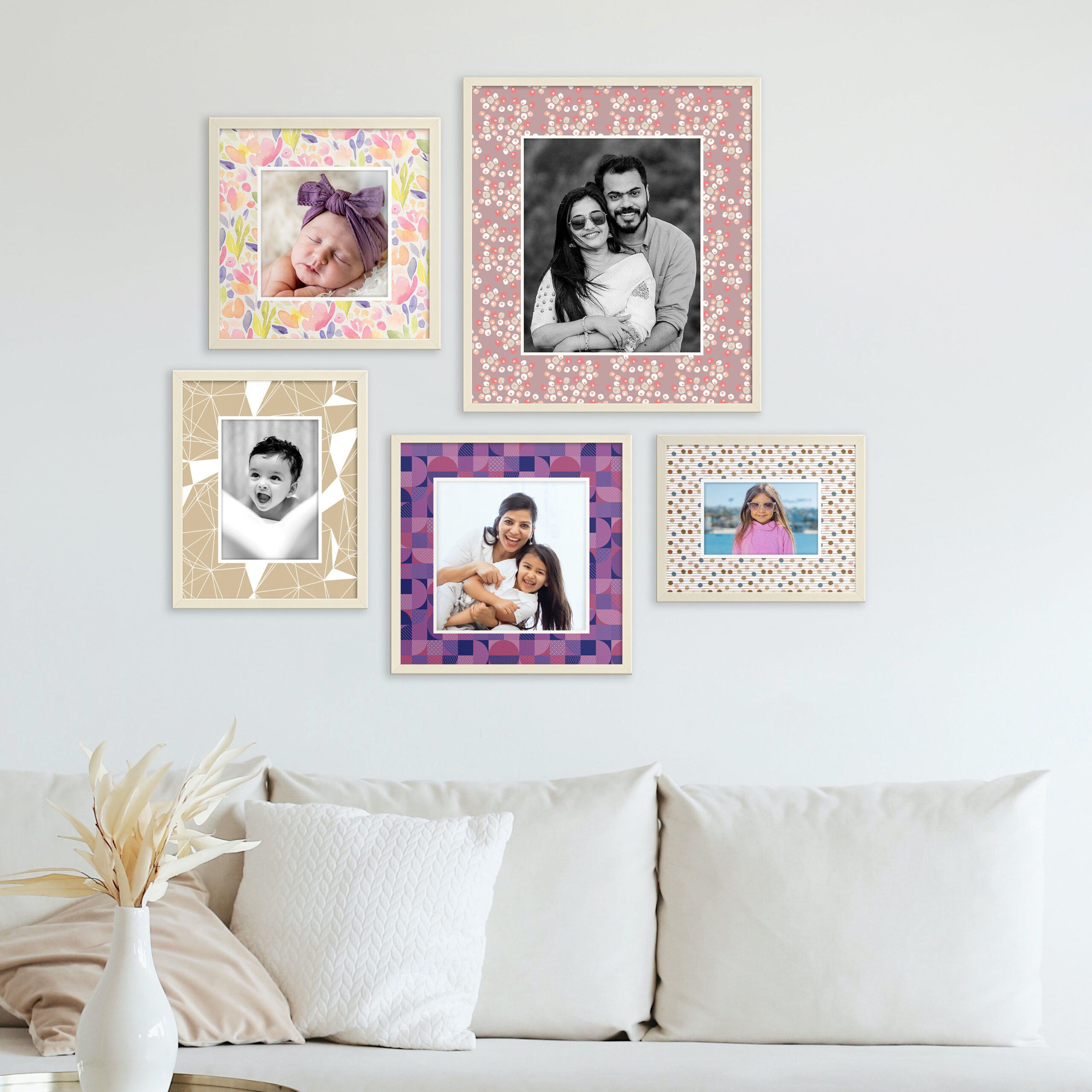
The mat is the area between the photograph and the frame border. In Designer Mat Frames, this area carries the decorative design. If you want a pattern or theme surrounding the photo rather than printed on the frame itself, start here.
Premium Frames: Compare Styles, Then Themes and Layouts
Premium Frames offer multiple frame styles. After choosing a style, explore the theme and layout options available within that product. The outer frame size set is consistent across Premium styles: 11×11, 12×14, 15×18, 15×21 and 19×23 inches.
A style name describes its appearance; check the product specifications for the actual frame material. A wood-look style should not be assumed to be solid wood.
How to Choose the Right Photo Frame Size
Understand Frame Size, Photo Area and Mat
The dimensions in this guide are outer frame sizes in inches, not photo sizes. The border and any mat occupy part of the overall area. For example, a 19×23-inch outer frame does not mean the printed photograph measures 19×23 inches.
- Outer frame size: the overall dimensions used to plan the display space.
- Photo area: the space allocated to your photograph in the selected product and layout.
- Mat: the area around the photograph, inside the frame border.
Check the selected product’s photo area and review the crop before ordering. For detailed charts, see our photo frame size guide.
Measure Where the Frame Will Go
- Measure the available wall, shelf or desk space.
- Choose whether you want one photograph, a collage within one frame or several separate frames.
- Check the photograph’s orientation and the product’s available sizes and layouts.
- For a wall display, use paper cut-outs matching the outer frame dimensions to compare arrangements.
- Check display support in the product specifications and review your photo crop.
For larger displays, Designer Mat Frames extend up to 16×18 inches, Designer Frames up to 17×20 inches, and Premium Frames up to 19×23 inches. Explore big photo frames for walls to compare larger options.
Choose a Colour, Design and Photo Layout
Look at your photograph first. A busy image may work well with a simple border; a quieter portrait may suit a stronger colour or decorative design. You can repeat a colour from clothing, scenery or the room without matching every element.
A multi-photo layout tells a different story from a single-photo frame. Use one image when you want a clear focal point. Choose a collage when several moments belong together, but check that each face or important detail stays large enough to see.
Colour, theme, layout and text options vary by product and design. Add names, dates or messages only where the chosen design provides those options.
Choose a Frame for the Memory You Want to Display
Family Portraits and Everyday Moments
Keep faces clear and leave enough room for the crop. Compare a simple Classic border with a Coloured Frame that picks up a detail in the photograph. For several family moments, check the available multi-photo layouts.
Wedding and Anniversary Photographs
Compare a restrained border, a decorative Designer Mat and the available Premium styles. Choose a design that complements the photograph without competing with it. For a pair of portraits, consider two coordinated frames rather than forcing both images into a small collage.
Travel Photographs
A single landscape can become a focal point in a larger frame. A collection of snapshots can work as a collage or a group of separate frames. Use original image files and check the crop, especially when important details sit near the edges.
Birthday and Milestone Gifts
Start with a photograph that matters to the recipient. Choose a size suited to their likely display space, then compare frame colours, designs and available personalisation options. Check estimated delivery for the recipient’s postal code before ordering.
Plan the Display Before You Order
For a living-room wall, compare one larger frame with a small group. In a bedroom or workspace, consider the available space and viewing distance. For a hallway or staircase, a sequence of photographs can tell a story over time.
A coordinated arrangement can share one colour, theme or spacing pattern without using identical frames. Check each product’s wall or tabletop support, and follow its mounting instructions rather than assuming every frame can be displayed both ways.
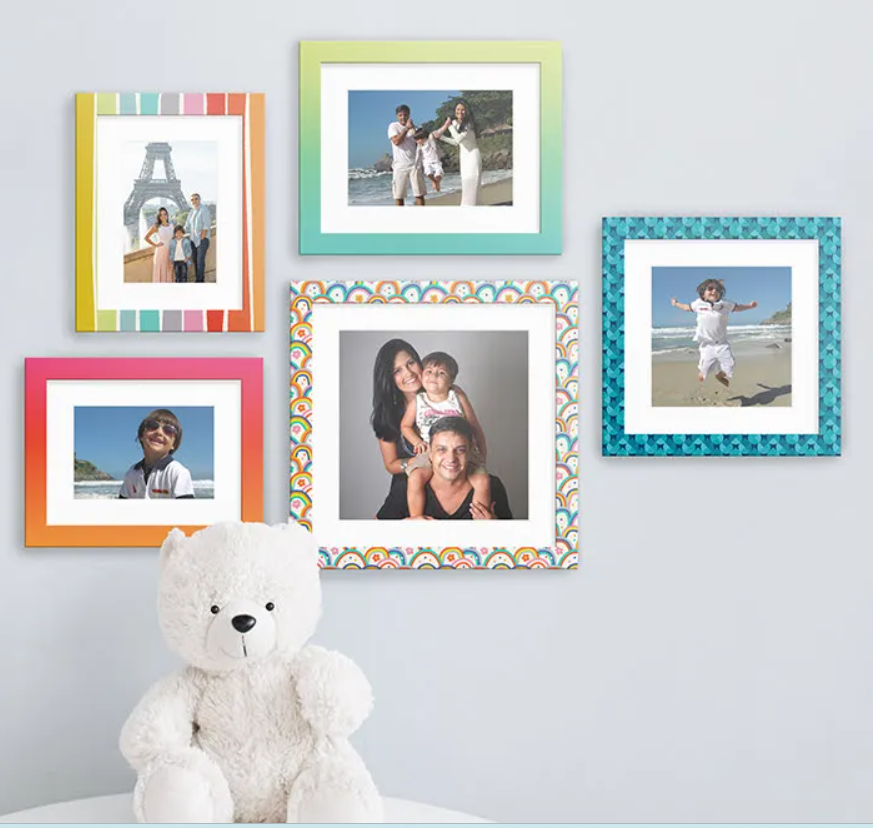
For arrangement inspiration, read our wall photo frame ideas. To compare frames with other display products, explore wall displays. Metallic photo prints are an alternative display product, rather than another framed-print collection.
Before You Create Your Frame
- Use the original, high-resolution photograph where possible.
- Check the selected frame’s outer dimensions and photo area.
- Review faces, edges and important details in the crop preview.
- Confirm the available style, colour, theme and layout options.
- Check display support, current price and estimated delivery on the product page.
Frequently Asked Questions About Choosing Photo Frames
What types of photo frames can I choose at Zoomin?
Compare Classic, Coloured, Designer, Designer Mat and Premium Frames. Classic offers a simple border, Coloured offers frame colour choices, Designer has printed designs on the frame, Designer Mat has decorative designs on the mat, and Premium offers multiple frame styles with themes and layouts within styles.
What is the difference between Designer and Designer Mat Frames?
Designer Frames have printed designs on the frame itself. Designer Mat Frames have decorative designs on the mat around the photograph. Choose according to where you want the decoration to appear.
Are the listed frame dimensions the same as the photo dimensions?
No. The sizes discussed here are outer frame dimensions in inches, not the printed-photo dimensions. The border and mat occupy part of the overall frame area. Check the photo area and crop in the selected product preview.
Which frames are available in larger sizes?
Designer Mat Frames extend up to 16×18 inches and Designer Frames up to 17×20 inches. Premium Frames offer 11×11, 12×14, 15×18, 15×21 and 19×23-inch outer frame sizes across Premium styles.
How do I choose a frame colour for my photograph?
Look for a colour in the photograph or the room that you want to repeat. A simple border can keep attention on a busy photograph, while a stronger colour can add contrast to a quieter image. Review the selected colour with your photograph before ordering.
Can I put multiple photographs in one frame?
Choose a product design that offers a multi-photo layout. Available layouts depend on the product and design. Check the preview to make sure faces and important details remain clear in each photo area.
Can every frame be displayed on a table or a wall?
Display support depends on the selected product and size. Check the product specifications for tabletop or wall-display support before ordering, and choose a size that fits the intended space.
What can I personalise in a photo frame?
Start by uploading your photograph. Frame colour, style, theme and layout choices depend on the selected product. Add names, dates or messages only when the chosen design provides those options.
Which photograph should I upload?
Use the original, high-resolution image file where possible. Choose a photograph with enough space around faces and other important details to allow for cropping. Review the crop and any image-quality warning before ordering.
How do I choose a photo frame as a gift?
Start with a photograph that means something to the recipient, then choose a frame style and size suited to where they might display it. Check the available personalisation options and estimated delivery for their postal code before ordering.
Find a Frame for Your Story
Start with the photograph, choose a frame style, then check the size and layout in the product preview.
Explore all Zoomin photo frames

 Gift Finder
 Gifts for Occasions